
Spin Crush
Spin Crush APK guide: the spin game features inside, safe Android install steps, OTP sign-up and the money risks to know before you play.
Download Spin Crush18+ only. Some of these games involve real money and carry financial risk. Play responsibly, set limits, and check whether real-money gaming is legal where you live.
App information
- Name
- Spin Crush
- Requires
- Android phone
- Category
- Arcade
- Updated
- Oct 13, 2026
Key features
- Candy-style cluster reels
- Lucky wheel and combo spins
- Mobile number and OTP sign-in
- Small APK that runs on most Android phones
- Rotating event themes
How to install Spin Crush
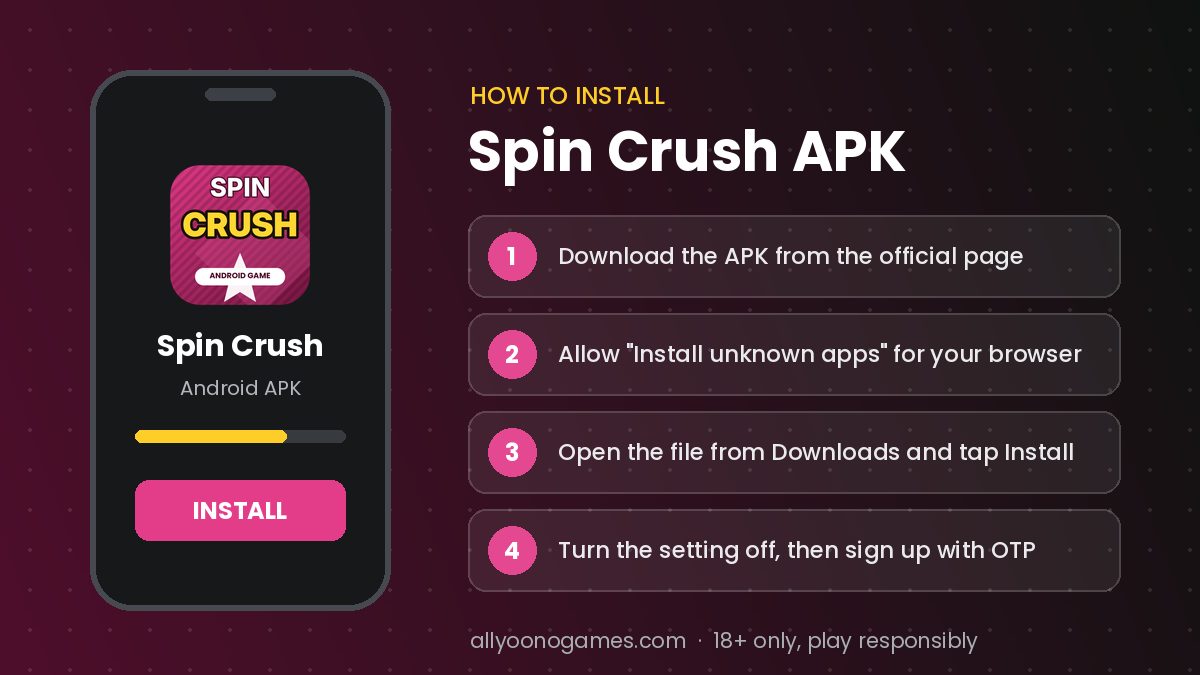
- 1Tap Download Spin Crush and wait for the APK to finish downloading.
- 2If Android blocks it, allow installs from your browser for this one file.
- 3Open the file from your notifications or the Downloads folder.
- 4Tap Install, then switch the unknown-apps setting off again.
- 5Open Spin Crush, sign up with your mobile number and set a password.
Table of contents
What is Spin Crush?
Spin Crush is a spin-and-match game app that turns up in almost every all Yono game list, usually searched as "Spin Crush APK". It mixes candy-coloured reels with lucky-wheel rounds and signs you in with the same mobile number and OTP method used by other Yono apps.
This page explains what the app contains, how to install the APK, how to sign up, and what to check before you put any money in.
What you can play on Spin Crush
- Crush reels – symbols that pay when they land in matching clusters.
- Lucky wheel – a single spin that lands on a prize segment.
- Combo spins – chains of matches that push a multiplier higher.
- Event rounds – limited-time themes that rotate every few weeks.
How the games work
Every spin in Spin Crush is independent. There is no pattern to learn and no time of day when the wheel is "looser". Multipliers and bonus spins make rounds exciting, but the maths behind the game means the app keeps part of every rupee played over time.
Before you install Spin Crush
- Check the file name and size before installing – fake copies are often much smaller or oddly named.
- Scan the APK with Google Play Protect or a trusted antivirus app.
- Never share your OTP, UPI PIN or bank details with "support" agents on WhatsApp or Telegram.
- Switch "Install unknown apps" off once the install is done.
Fake download pages are common for apps like this – see how to find the real Yono game link before you install anything.
Spin Crush register and login
- Launch the app after installing it.
- Choose "Login with mobile" and type your number.
- Enter the OTP you receive by SMS.
- Create a password and confirm it to finish setting up your account.
Login trouble is usually an OTP or cache problem – the fixes are in our Yono Games login guide.
Spin Crush bonus and withdrawal
Spin Crush advertises rewards such as a welcome bonus and refer-and-earn offers. Read the terms first: bonus cash is often locked until you play a set amount, and only your "winnings" or "cash" balance can be withdrawn.
To cash out you will usually need to add bank or UPI details, meet a minimum withdrawal amount and wait for processing. Common delays are covered in our withdrawal guide, and promo-code scams in all Yono game promo code.
Set limits before you play Spin Crush
Set a budget and a time limit before you open Spin Crush. A phone timer works well: when it rings, stop. If you notice yourself raising the stake to win back losses, that is the moment to close the app.
Is Spin Crush legal?
Spin Crush is not listed on Google Play, and money games face strict rules in India. The Promotion and Regulation of Online Gaming Act, 2025 prohibits offering, advertising and paying for online money games. Free practice play is a different matter, but real-money play may break the law – check before you deposit.
Similar games to Spin Crush
Players who search for Spin Crush often also look at Yono Games, Spin 777 and Bingo 101. Newer releases are collected in new Yono games 2026.
Summary
In short, Spin Crush offers quick spin and wheel rounds with bright, fast animation. It can be fun in small doses, but it carries real financial risk: download it only from a trusted page, read the bonus rules and stop when you reach your limit.
Frequently asked questions
Is there a trick to win Spin Crush?
How do I download Spin Crush safely?
What if Spin Crush login is not working?
Is Spin Crush legal in India?
Always install apps from sources you trust, and check your device's security settings before installing files from outside the Play Store.